Create an API key
Every request carries a key. Keys belong to your account and draw on your balance; each one can have its own spending limit and expiry, so give each application its own key.
Create one
- In the console, open API Keys and choose Create key.
- Fill in the form:
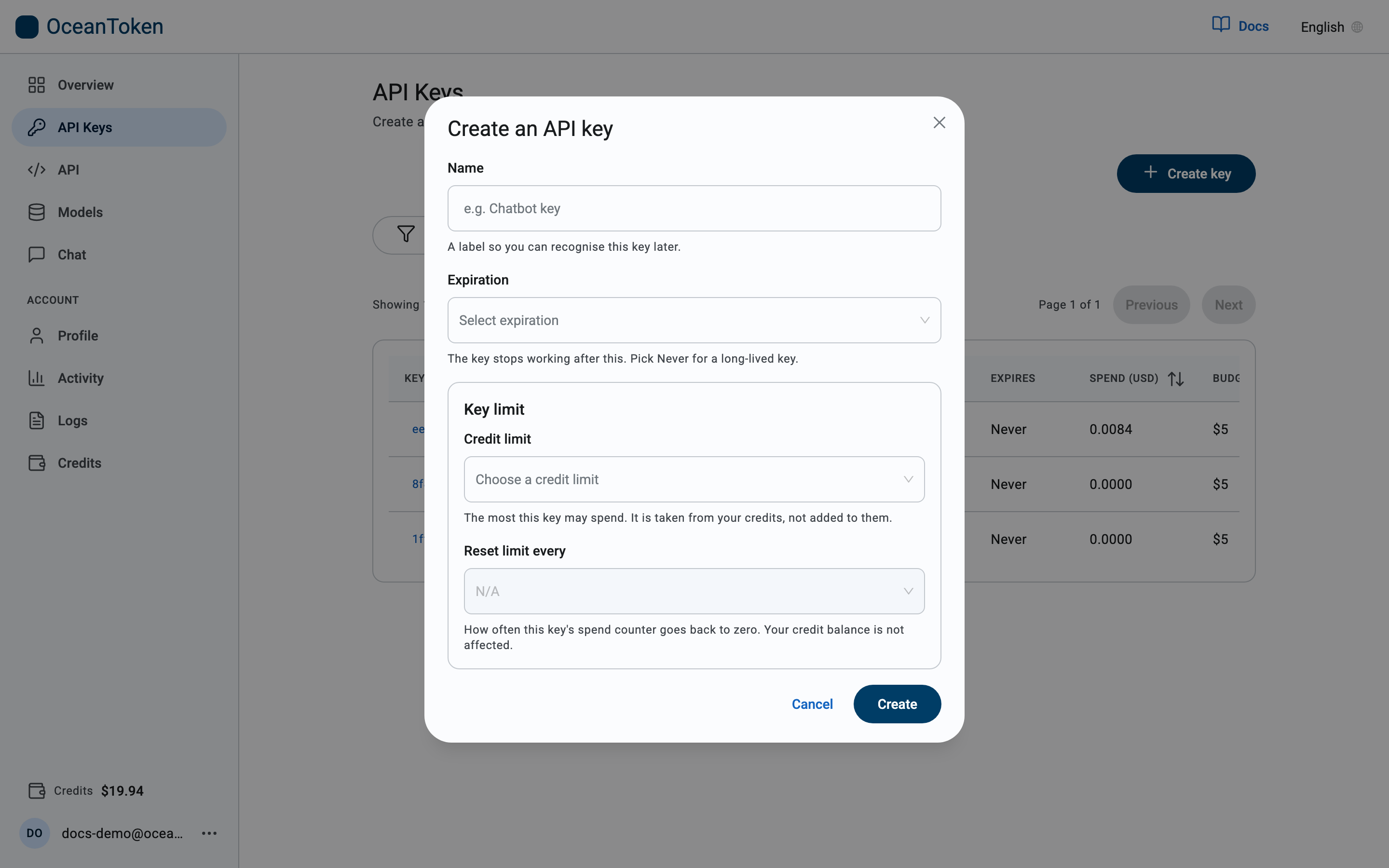
| Field | What it does |
|---|---|
| Name | A label so you recognise the key later, for example Chatbot key. Names are unique within your account. |
| Expiration | When the key stops working. Never for a long-lived key. |
| Credit limit | The most this key may spend in total. It is taken from your credits, not added to them. Choose a preset, No limit, or Custom amount in whole dollars. |
| Reset limit every | How often the key's spend counter goes back to zero. N/A means the limit is a one-time total. |
- Choose Create.
- Copy the key now. For security it is shown once and cannot be retrieved again. If you lose it, create a new key and delete the old one.
Keys start with sk-.
Use it
Send the key as a bearer token on every request:
Authorization: Bearer sk-...
Rotate
If a key may have leaked, Rotate key on its page issues a new secret and keeps the old one working for 24 hours while you switch your application over. Nothing else about the key changes. See API Keys.
Change or revoke
From API Keys you can rename a key, change its limit and expiry, or delete it. Deleting takes effect immediately; requests with that key return 401.
Choosing a new expiration period restarts the countdown from today.