Add credits
OceanToken is prepaid. Requests are charged against your balance at the model's listed price, and a request that would take the balance below zero is refused rather than run. See Errors for what that looks like.
Top up
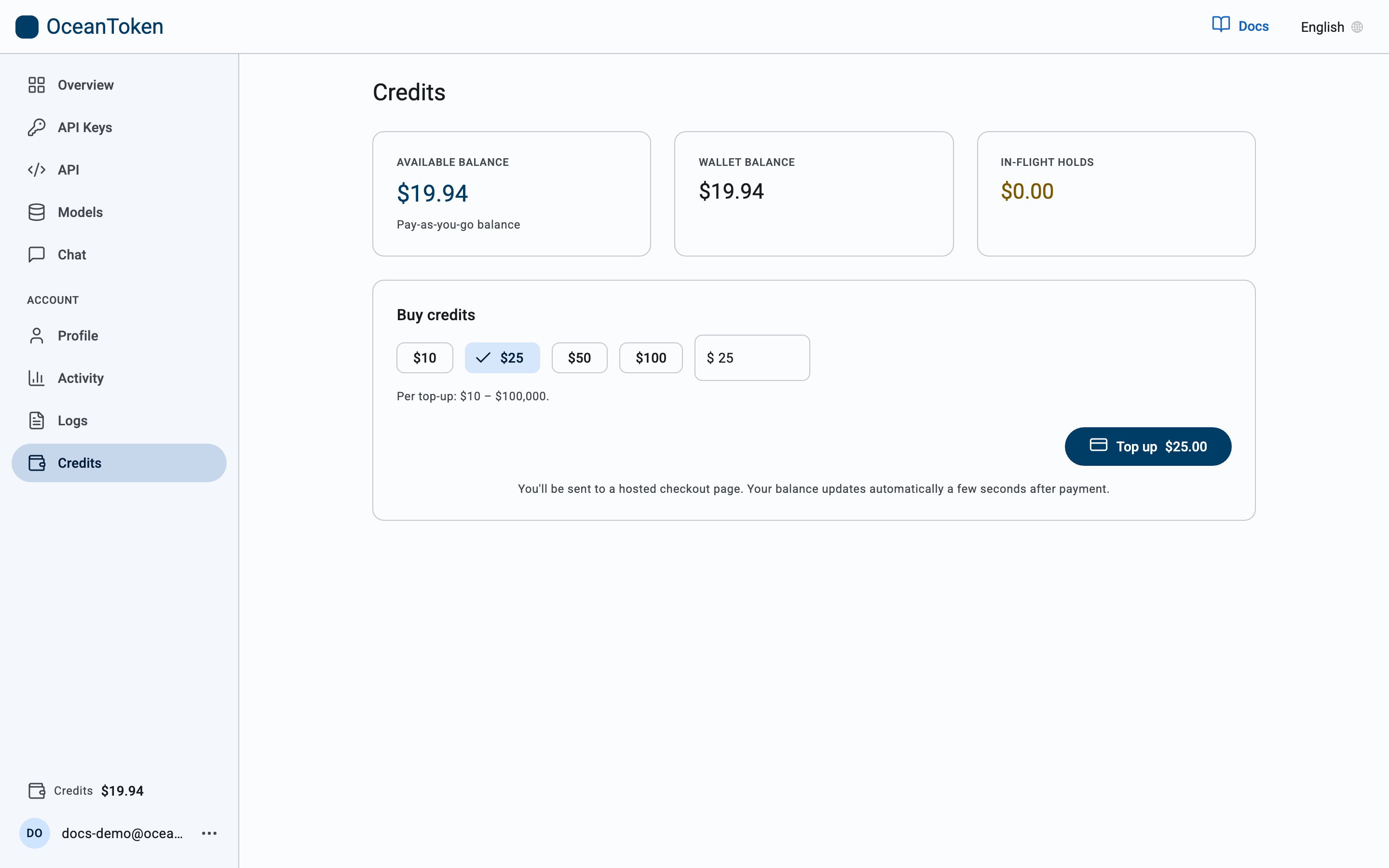
- In the console, open Credits.
- Under Buy credits, pick $10, $25, $50 or $100, or type your own amount. Each top-up is between $10 and $100,000.
- Choose Top up. You are taken to a hosted checkout page to pay by card.
- When payment completes you return to the console and the new balance shows under Available balance, and at the bottom of the sidebar.
Credits do not expire.
Where the balance shows
- Credits at the bottom of the console sidebar, on every page.
- Overview shows this week's spend against it.
- Activity shows spend per day and per model.
Available credits are your balance minus any holds for work still in progress. Long jobs such as video generation reserve their estimated cost when they start and settle to the actual cost when they finish.
Organizations
An organization has one wallet. Its administrator tops it up and can allocate a share of it to each team; a team cannot spend past its allocation, and the organization cannot spend past its wallet.
Organizations with an agreed monthly allowance do not need to top up. Your balance is funded for you and the Credits page shows what is available.