API Keys
Create and manage the keys your applications use.
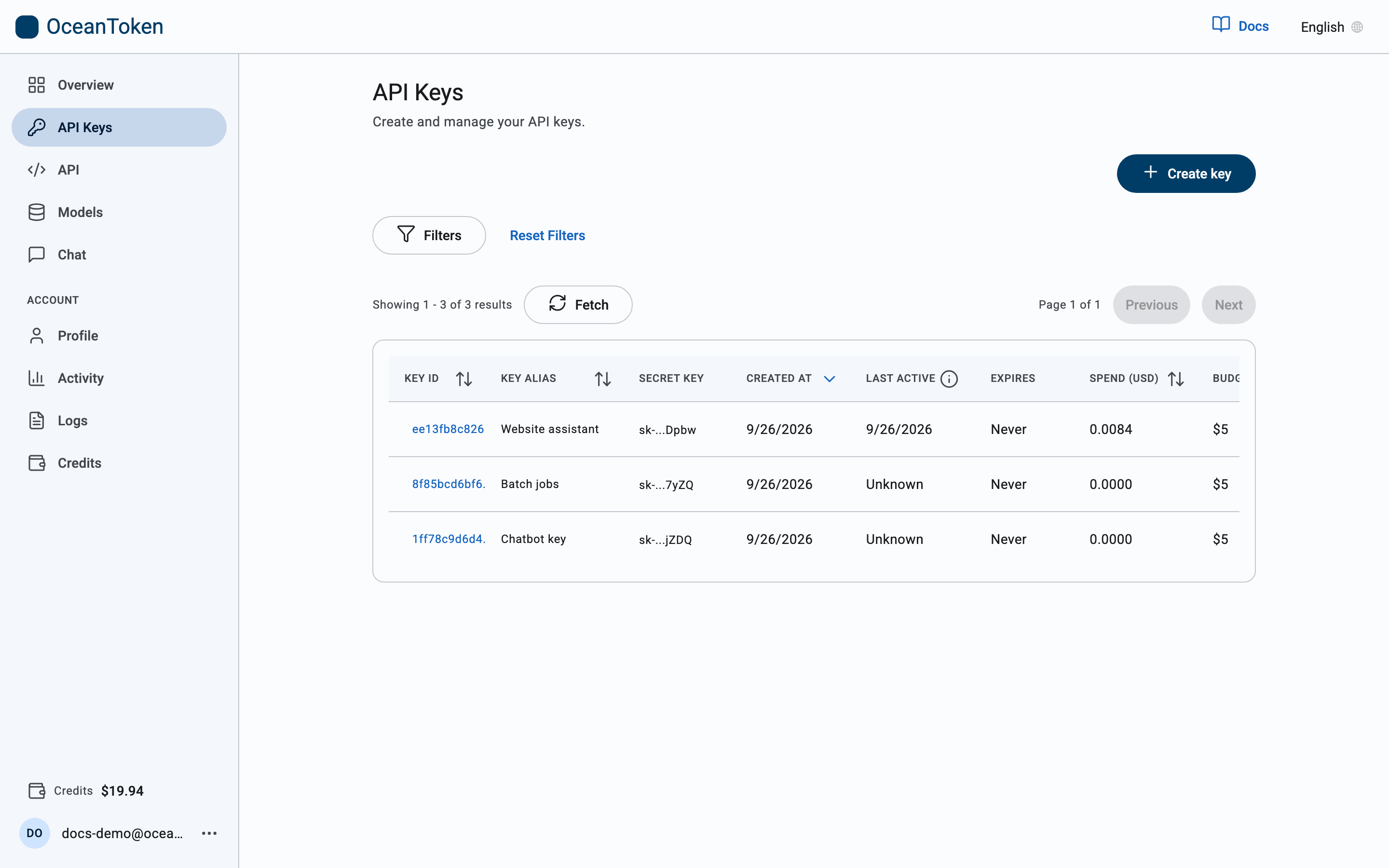
The list
| Column | Meaning |
|---|---|
| Key ID | Opens the key to edit it |
| Key alias | The name you gave it |
| Secret key | The last characters of the key, for telling keys apart. The full key is never shown again |
| Created at / Last active | When it was made and when it last made a request |
| Expires | The expiration you set, or Never |
| Spend (USD) / Budget | What the key has spent against its credit limit |
A key that has hit its credit limit or passed its expiration stays in the list but stops working.
Create a key
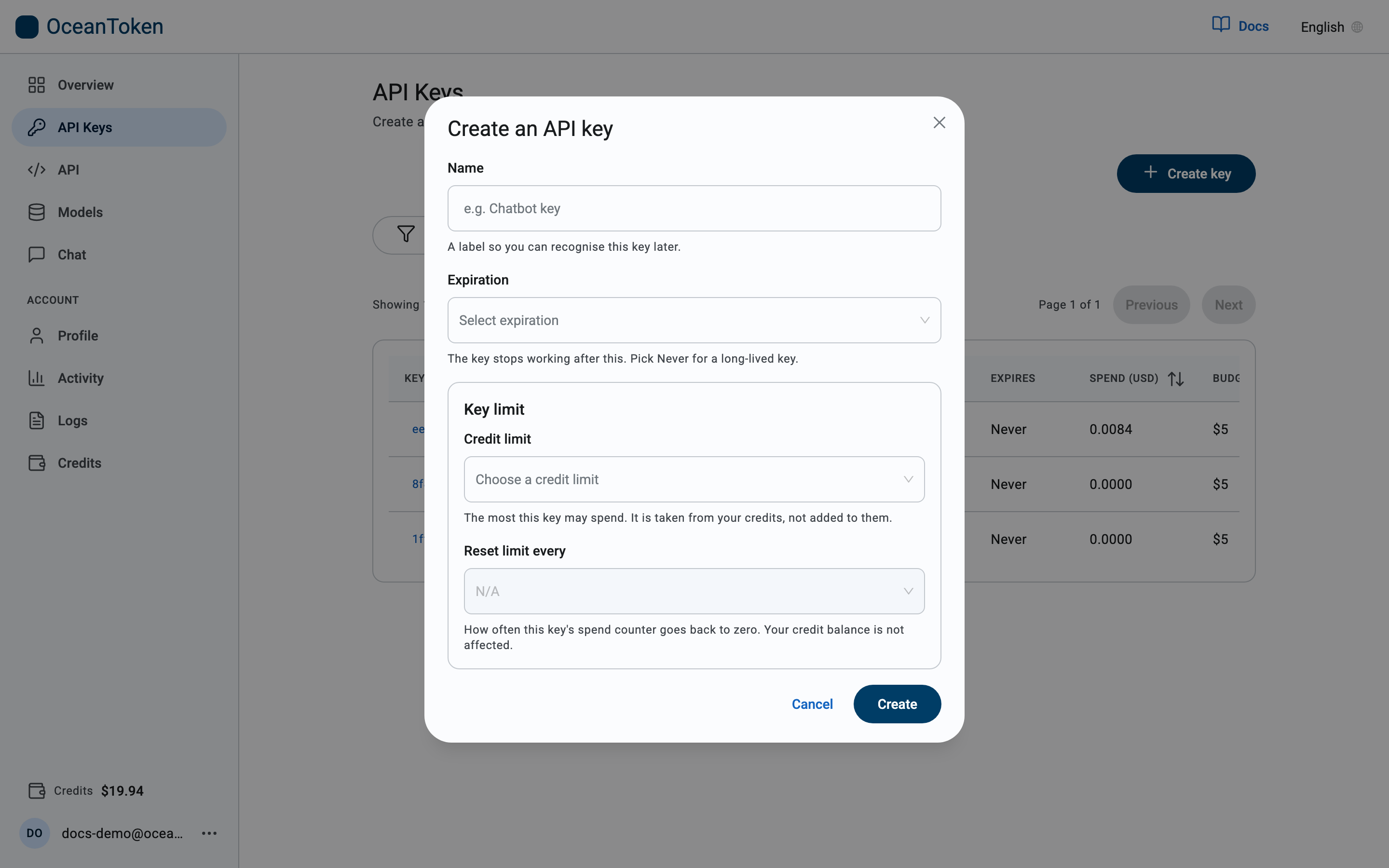
Choose Create key. The form has four fields:
| Field | What it does |
|---|---|
| Name | A label so you recognise the key later, for example Chatbot key. Names are unique within your account. |
| Expiration | When the key stops working. Pick Never for a long-lived key. |
| Credit limit | The most this key may spend in total. It is taken from your credits, not added to them. Choose a preset, No limit, or Custom amount in whole dollars. |
| Reset limit every | How often the key's spend counter goes back to zero. N/A makes the limit a one-time total. Your credit balance is not affected. |
Choose Create, then copy the key immediately: for security it is shown once and cannot be retrieved again. If you lose it, create a new key and delete the old one.
Typical use: give a new project its own key
Name the key after the project, set a Credit limit you are comfortable losing if the key leaks, and choose whether the limit resets monthly. One key per application means a leaked key can be deleted without touching anything else, and Logs and Activity show what each application spends.
Rotate a key
Rotating replaces the key's secret without touching anything else about it. Use it when a secret may have leaked, or on a schedule.
- Open the key from its Key ID and choose Rotate key.
- Read what will happen, then confirm. The new secret is shown once; copy it into your application.
- Update your application. The old secret keeps working for 24 hours, so you can switch over without downtime. After that it stops working and requests with it return
401.
Spend, credit limit, reset period, expiration and name stay exactly as they were: it is the same key with a new secret, so your logs and usage stay in one place.
From code, the same operation is POST https://api.oceantoken.ai/key/{key_id}/regenerate with your session or the key itself as the bearer token and an optional body {"grace_period": "24h"}; the response carries the new secret in key. Omitting grace_period uses the same 24-hour default.
Edit and delete
Open a key from its Key ID to rename it, change its limit or reset period, or set a new expiration. Choosing a new period restarts the countdown from today; you can also keep the current expiry. Deletion is immediate: requests using the key return 401 from then on.