Add credits
OceanToken is prepaid. Requests are charged against your balance: text models at their published prices (each model's page on oceantoken.ai), and image, video, speech and other media at the actual cost of each request (how you are charged). Every new account starts with $1 of starter credit, valid for 14 days. Paid models need a balance above $0: at $0 or below, requests to them are refused until you add credits. Models whose ID ends in :free cost nothing and work even at a $0 balance. See Errors for what a refusal looks like.
How to add credits
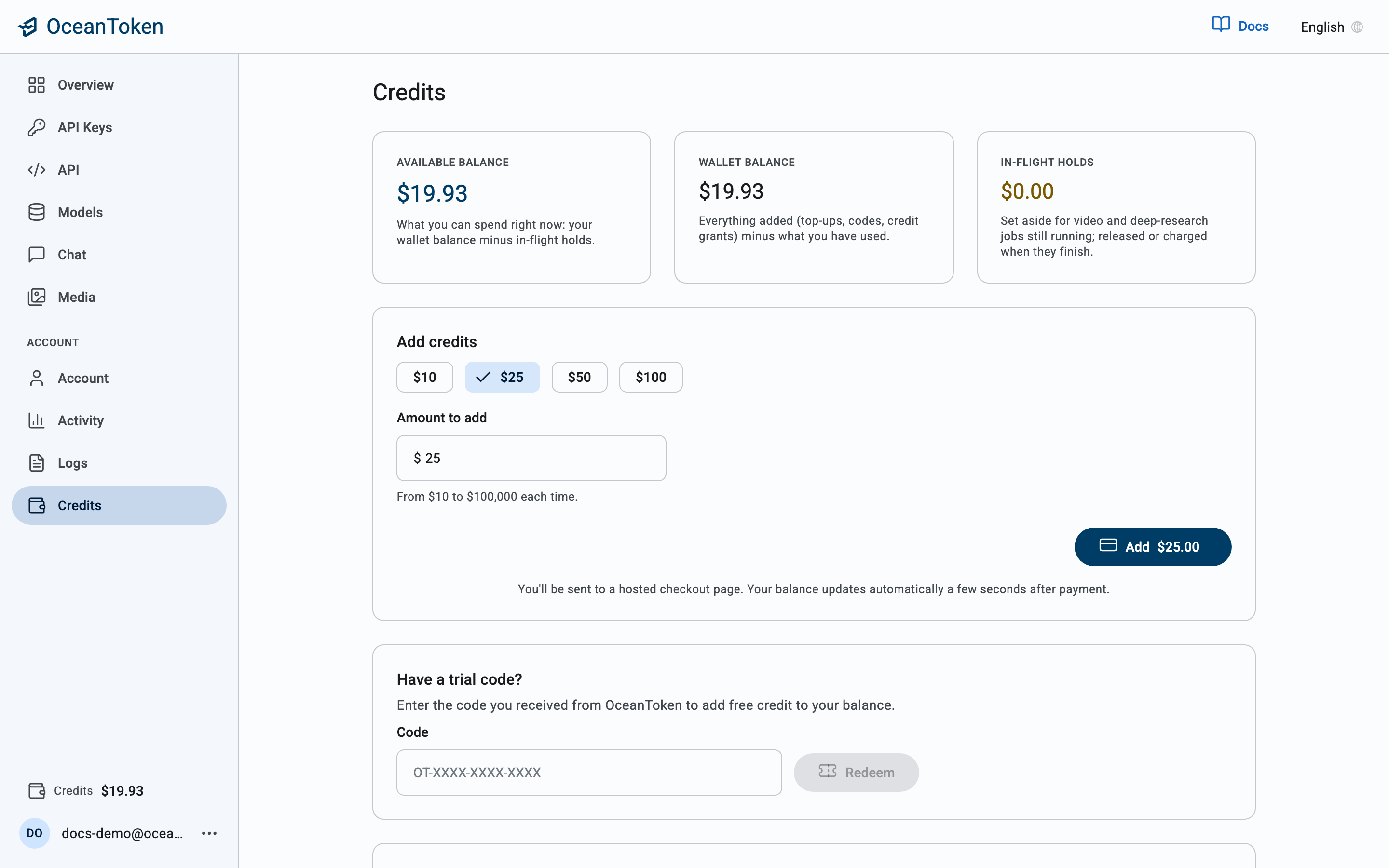
- In the console, open Credits.
- Under Add credits, pick an amount: $5, $10, $25 or $50, or type your own.
- Choose Add credits. You are taken to a hosted checkout page to pay by card.
- When payment completes you return to the console and the new balance shows under Available balance, and at the bottom of the sidebar.
Purchased credits are valid for 12 months from the date of purchase. Credits from trial codes, promotions or gifts may expire sooner. See section 6 of the Terms of Service.
Processing fee
Models are billed by usage, with no platform fee. When you top up, a processing fee of 2.9% + $0.30 of the total payment is added at checkout, the same for every payment method; it is not added to your balance. For example, $100 of credits costs $103.30.
The checkout page shows the fee as its own line. It is worked out on the whole payment, so that 2.9% + $0.30 of what you pay leaves exactly the credit you chose:
| Credit | Processing fee | You pay |
|---|---|---|
| $10 | $0.61 | $10.61 |
| $50 | $1.81 | $51.81 |
| $100 | $3.30 | $103.30 |
First top-up bonus
Your first top-up earns a bonus of 10% of the credit it buys, added to your balance with it.
- Amount. 10% of the credit your first top-up buys, rounded down to the cent, up to $100. The processing fee does not count toward it.
- Any amount. Every first top-up qualifies, whatever its size.
- Once per person. Each person gets it once. A new account opened by the same person does not get it again. A team wallet does not get it; an organization wallet gets it once.
- Verified email. Only accounts with a verified email address get it, and not with a disposable address.
- Card payments only. It applies only to a real card payment, not a test payment.
- Refunds and disputes. If the top-up is refunded in full or disputed, the bonus is taken back. If part of it is refunded, the bonus is worked out again as 10% of the credit left, and is never more than what was given. If a dispute is decided in your favor, the bonus is given back.
For example, your first top-up is $200 of credit. The processing fee is $6.29, so you pay $206.29, and you get a $20 bonus. If $150 of that credit is later refunded, $50 of credit is left, so the bonus becomes $5.
Where the balance shows
- Credits at the bottom of the console sidebar, on every page.
- Overview shows this week's spend against it.
- Activity shows spend per day and per model.
Available credits are your balance minus any holds for work still in progress. Long jobs such as video generation reserve their estimated cost when they start and settle to the actual cost when they finish.
Organizations
An organization has one wallet. Its administrator adds credits to it and can allocate a share of it to each team; a team cannot spend past its allocation, and the organization cannot spend past its wallet.
Organizations with an agreed monthly allowance do not need to add credits. Your balance is funded for you and the Credits page shows what is available.